



StackSwatch

The Lightweight 2D Product Configurator for WordPress

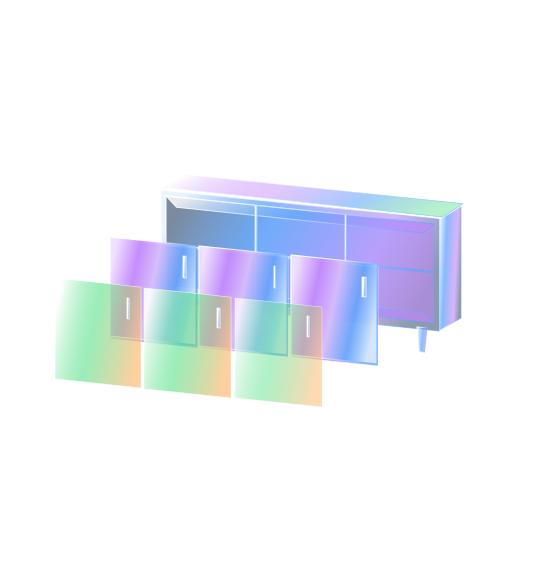
Skip bloated plugins, complex database setups, and expensive 3D rendering engines. StackSwatch brings seamless 2D layer stacking to your WordPress site. Let visitors customize your products visually, get real-time price quotes, and download branded spec sheets—all while sending qualified leads straight to your team.

Not affiliated with WordPress in any way.

Layer your 2D visuals

Embed on your website

Capture leads

Visual customization without plugin bloat or complex code

Most WordPress configurator plugins are either overly complex, require 3D modeling skills, or slow your website to a crawl. StackSwatch gives you an effortless, hosted solution that embeds anywhere via a single line of code.

  • Fast 2D Layer Stacking: Upload transparent PNG or WEBP image layers for your materials, finishes, and components. Choices stack live on screen to render a crisp, finished product.

  • No Database Bloat or Plugin Conflicts: Hosted on our secure, high-speed infrastructure. No need to update PHP versions, manage heavy database tables, or troubleshoot plugin conflicts.

  • Designed for High-Ticket Lead Generation: Custom builds, sheds, and bespoke manufacturing rarely sell through standard e-commerce carts. StackSwatch captures detailed inquiries complete with every prospect selection.

  • Real-Time Dynamic Quoting: Add a base price and per-option price rules to deliver instant quotes, or keep pricing hidden behind an inquiry form until contact details are entered.

  • Downloadable PDF Spec Sheets: Prospects can instantly export a branded spec sheet featuring your logo, contact details, and their chosen configuration to share with stakeholders.

How to Embed Your Configurator on WordPress in 3 Steps

Step 1: Build Your Configurator in StackSwatch

  • Set up your option categories (such as timber finishes, cladding, roof types, or hardware).
  • Upload your base image and aligned transparent PNG/WEBP layers for every variation.
  • Add visual swatch thumbnails, set optional pricing rules, and tweak button styles and fonts to mirror your WordPress theme.

Step 2: Copy Your Embed Snippet

  • Head to the Embed & share panel inside your StackSwatch dashboard.
  • Copy the clean HTML embed snippet provided.

Step 3: Paste into Your WordPress Page Builder

  • In the Gutenberg Block Editor: Click + (Add Block), search for Custom HTML, and paste your snippet.
  • In Elementor: Drag the HTML Widget onto your section and paste the code snippet into the code field.
  • In Divi / Classic Editor: Add a Code Module or toggle to the Text (HTML) tab, paste the code, and hit Publish.

FAQ

No. StackSwatch runs without an extra plugin. You simply paste a lightweight HTML snippet directly into your page builder or theme template. This keeps your WordPress admin fast and eliminates the risk of plugin conflicts during core updates.

Your product has options.
Let customers see them.

Build your first 2D configurator today—no coding or 3D modeling required.

Get Started